The Token Cost Problem
Every time your AI Employee answers a customer question, it costs tokens. Tokens are the fundamental billing unit of every large language model—GPT-4, Claude, Gemini, you name it. You pay for every token sent in and every token generated out.
Here's the problem most businesses don't realize until they get their first invoice: the default approach to giving an AI context about your business is to send your entire knowledge base with every single query. Every FAQ page. Every product description. Every policy document. Every time. Whether the customer asked about your return policy or your parking hours, the AI receives the same 50,000-token payload.
The Photocopier Analogy
For a small business with a 50-page knowledge base, brute-force context stuffing can cost $750 to $3,750 per month depending on query volume. That's not a typo. We've audited Fort Wayne businesses paying more for AI tokens than for the employee the AI was supposed to replace. One local service business was spending $2,800/month on AI token costs to handle 120 queries per day—queries that could have been handled for under $200/month with proper embedding architecture.
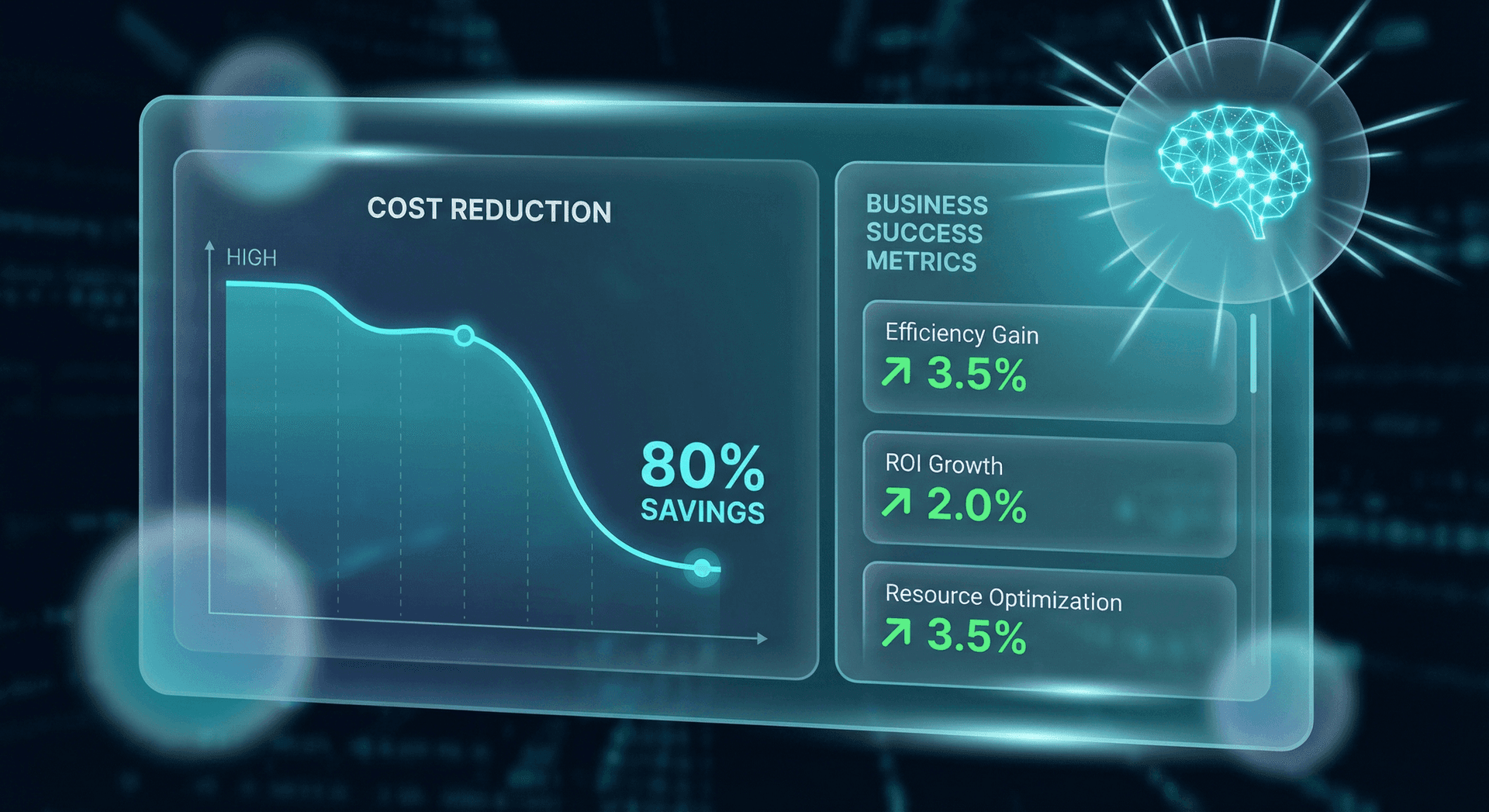
Memory embeddings solve this problem. Instead of sending everything, you send only the pieces that are actually relevant to the question being asked. The result? Cost reductions of 80% or more—with better response quality. To understand how this fits into a broader memory architecture, let's break down exactly how it works and what the numbers look like for real businesses.
The problem compounds in ways most business owners don't anticipate. As your knowledge base grows—adding new products, new FAQs, new policies—brute-force costs grow proportionally. Add 20 more pages of content? Your per-query cost just went up 20%. Over six months, a knowledge base that started at 50 pages can easily balloon to 150 pages, tripling your token spend without any increase in query volume. It's a hidden tax on improving your AI—the better your knowledge base gets, the more you pay per query.
This is the paradox of brute-force AI: the businesses that invest the most in building great knowledge bases get punished the most with token costs. Embeddings flip that equation entirely. A richer knowledge base becomes an asset, not a liability.
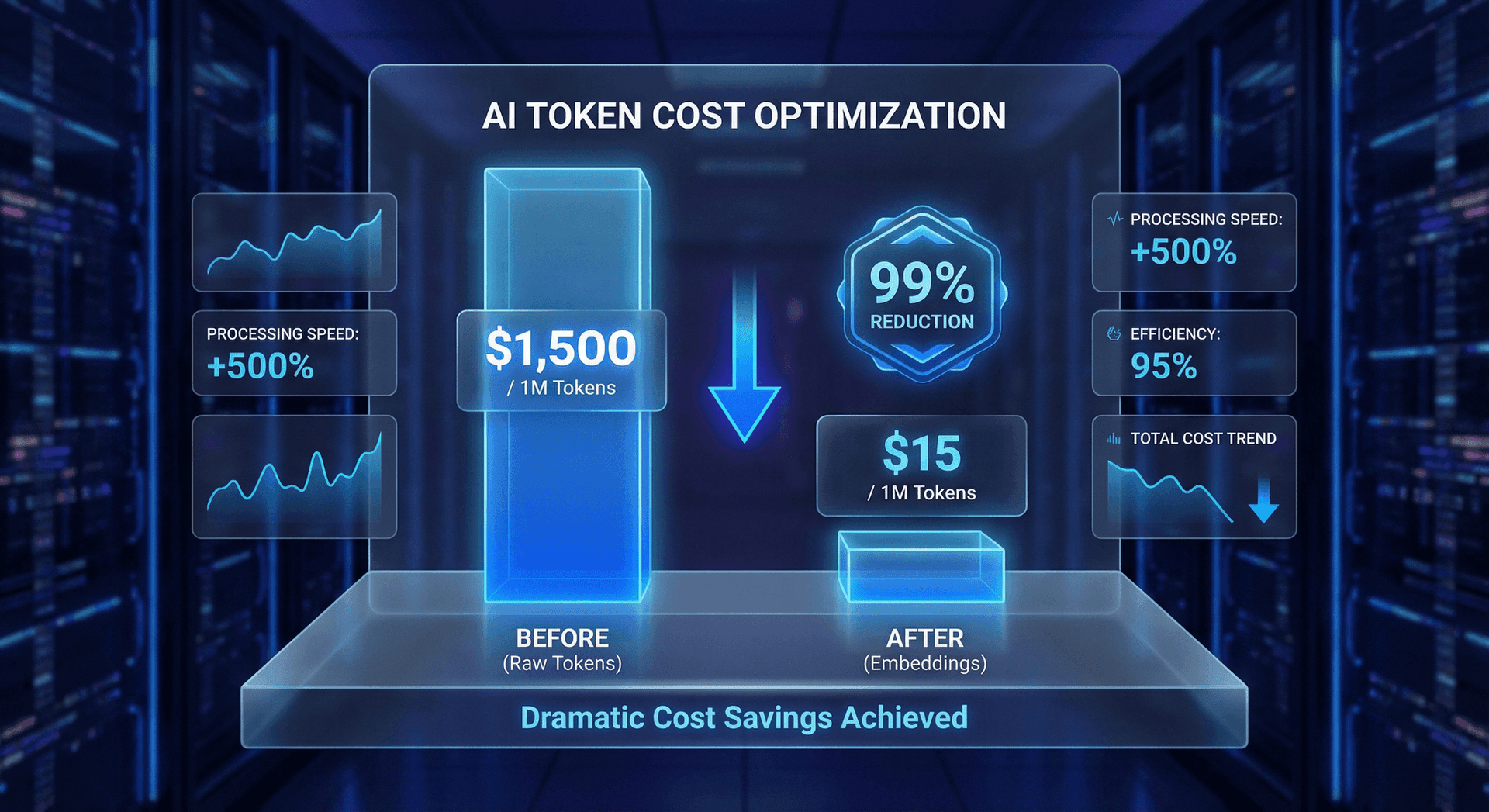
If you've already experienced the frustration of AI "forgetting" things or giving generic answers, you're likely dealing with a related issue we covered in The AI Memory Dory Problem. Embeddings are the core technology that fixes both cost and memory issues simultaneously.
What Are Embeddings?
If you're a business owner (not a data scientist), this section is for you. We're going to explain embeddings without requiring any technical background. By the end, you'll understand exactly what they do, why they matter, and how they save you money—without needing to understand the math behind them.
Embeddings sound technical, but the concept is intuitive. Think of how a library organizes books. A traditional library uses the Dewey Decimal System—books are organized by category and topic, not alphabetically by title. A book about dog training sits next to a book about puppy behavior, not next to a book titled "Dogs of War" (a military history).
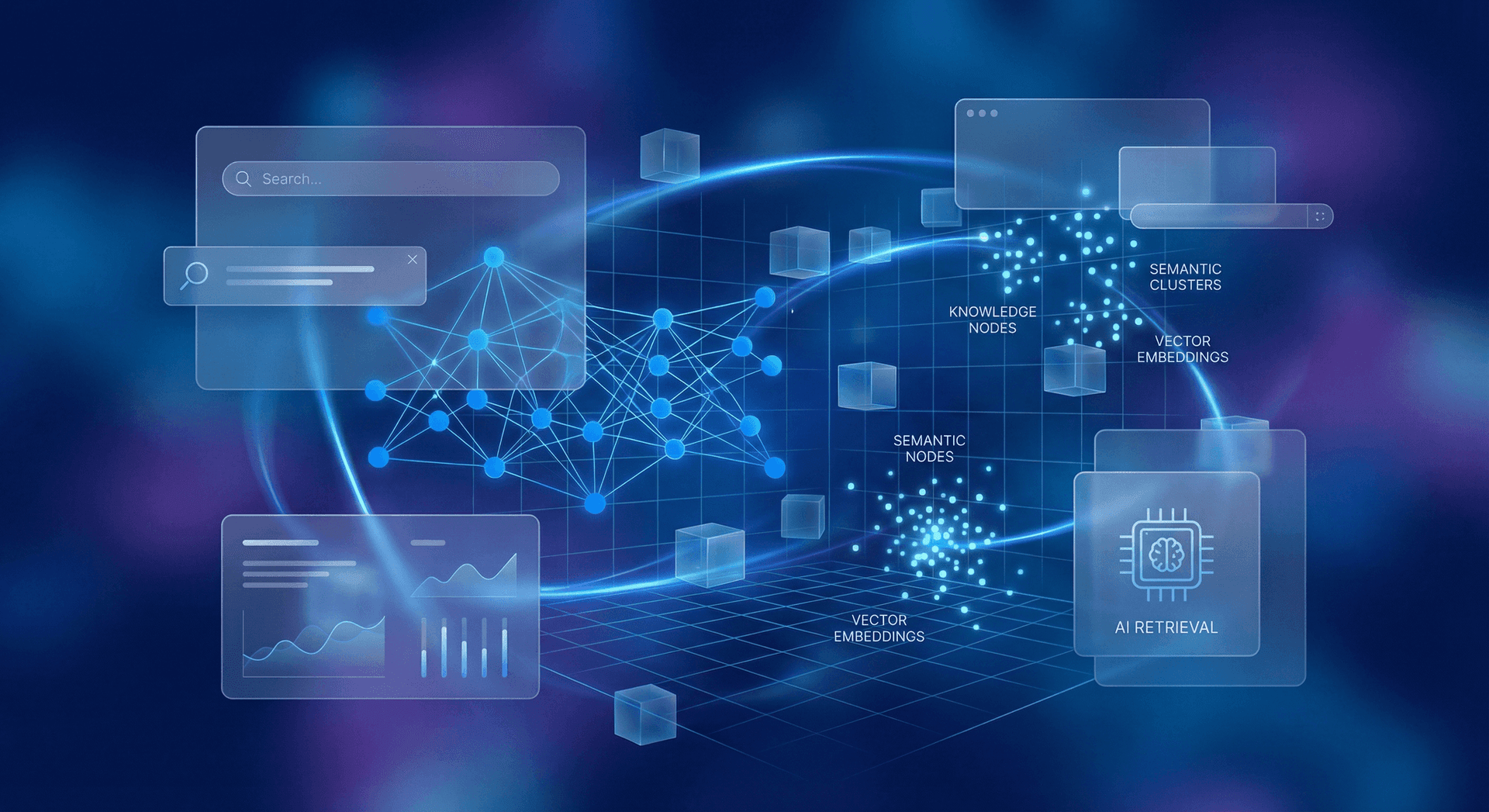
Embeddings do the same thing for text, but with mathematical precision. They convert a chunk of text—a paragraph, a page, a document—into a list of numbers called a vector. These numbers capture the meaning of the text, not just the words. Two pieces of text about the same topic will produce similar vectors, even if they use completely different words.
How Vectors Capture Meaning
Here's the practical application: when you index your business knowledge base with embeddings, you create a "meaning map" of all your content. When a customer asks a question, you convert that question into a vector, then find the 3–5 pieces of your knowledge base whose vectors are closest in meaning. You send only those pieces to the AI model—not the whole knowledge base.
- Step 1: Convert each page or section of your knowledge base into embedding vectors (done once, updated as content changes)
- Step 2: Store vectors in a vector database for fast similarity search
- Step 3: When a query arrives, convert it to a vector and find the top-N most similar knowledge base vectors
- Step 4: Send only the matching content chunks to the AI model alongside the user's question
- Step 5: The AI generates an answer using precisely relevant context—fewer tokens, better accuracy
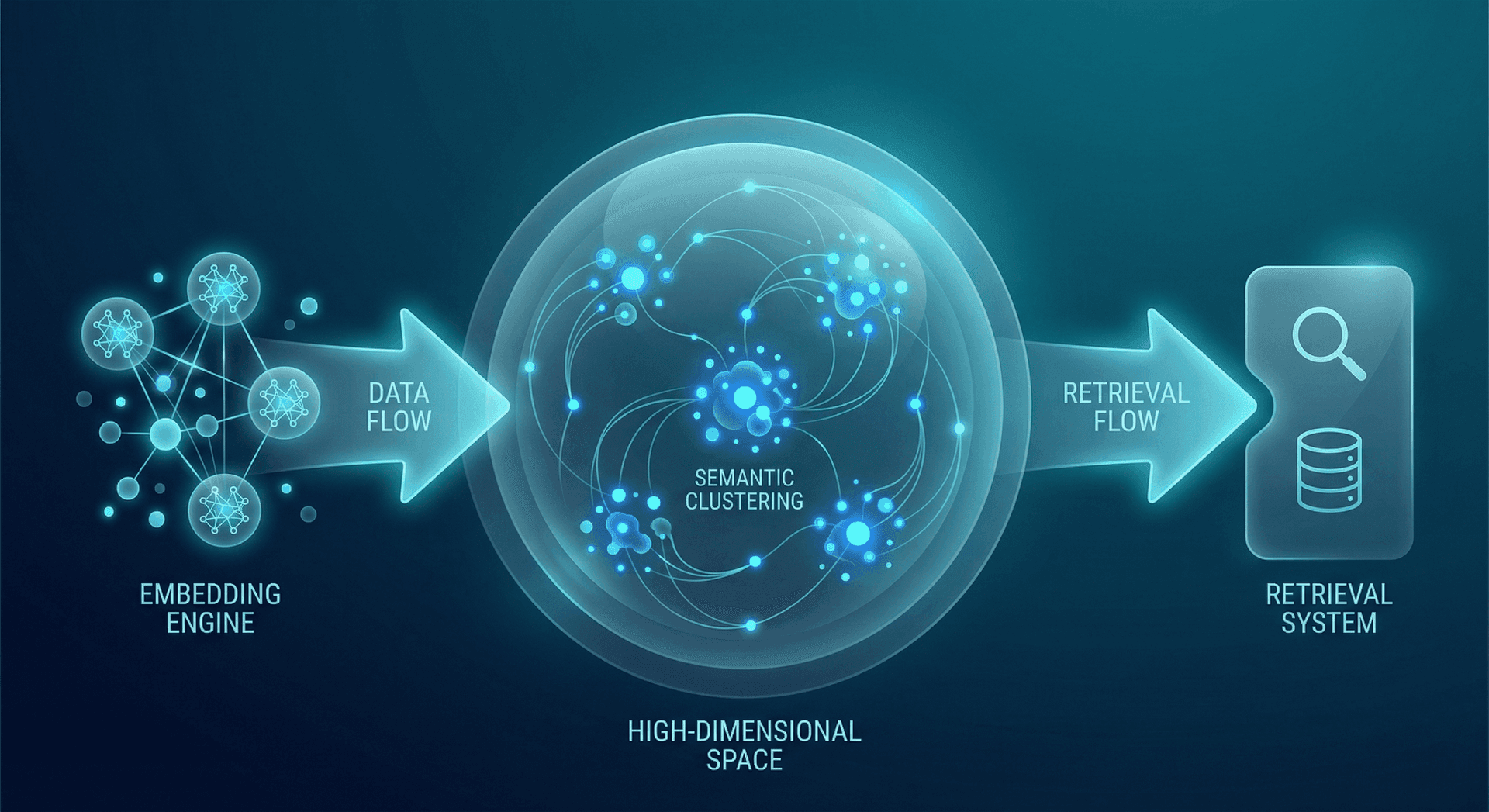
This process is called Retrieval-Augmented Generation (RAG), and it's the industry standard for production AI systems. The retrieval step powered by embeddings is what makes it economically viable for businesses of any size.
Real-World Analogy
The mathematical dimension of each embedding vector is typically 1,536 or 3,072 numbers, depending on the model. These dimensions encode relationships between concepts like "appointment" and "scheduling," or "payment" and "billing." The richer the embedding model, the more nuanced these relationships become, and the more precisely your retrieval system can match questions to answers.
The important takeaway for business owners: you don't need to understand the mathematics. You just need to know that embeddings are the technology that lets your AI find exactly the right information to answer each question—like having a librarian with perfect memory who can find any fact in your business knowledge in milliseconds. The practical benefit is simple: lower costs, faster responses, better answers.
Embeddings vs Brute Force
Now that you understand what embeddings are, let's put the two approaches side by side with hard numbers. "Brute force" means stuffing your entire knowledge base into every AI prompt—the approach most out-of-the-box AI tools use by default. "Embeddings" means using vector similarity to retrieve only the relevant pieces before sending anything to the AI model.
This comparison uses a 100-page knowledge base as the baseline, which is typical for a Fort Wayne small-to-medium business. If your knowledge base is larger, the brute-force numbers get worse while the embedding numbers stay roughly the same.
| Metric | Brute Force | Embeddings (RAG) |
|---|---|---|
| Tokens per query | 50,000+ | 2,500 avg |
| Cost per query | $0.75 | $0.04 |
| Response latency | 3–5 seconds | 0.5–1.5 seconds |
| Response quality | Diluted by noise | Focused and accurate |
| Scales with KB size | Cost grows linearly | Cost stays flat |
| Handles 500+ pages | Exceeds context window | No problem |
| Monthly cost (1K queries) | $750 | $40 |
The quality difference is counter-intuitive. You might assume that sending the AI more context would produce better answers. The opposite is true. When you dump 50,000 tokens of context into a prompt, the model has to sift through irrelevant information to find the answer. Research from Anthropic and Google both confirm that models perform better with less but more relevant context than with more but noisier context.
Consider a concrete example. A customer asks your restaurant AI: "Do you have gluten-free options?" With brute force, the AI receives your entire knowledge base: breakfast menu, lunch menu, dinner menu, catering packages, event policies, parking instructions, history of the restaurant, staff bios, and allergy information. The gluten-free details are buried somewhere in that 50,000-token haystack. With embeddings, the AI receives exactly the allergy information page and the relevant menu sections that mention gluten-free items—2,500 tokens of precisely targeted content.
The brute-force response might be vague: "Yes, we offer various dietary accommodations. Please check our menu or ask your server." The embedding-powered response is specific: "Yes! Our dinner menu includes 8 gluten-free entrees including the grilled salmon, herb chicken, and all our steak options. We also have a dedicated gluten-free dessert menu with 4 options. Our kitchen uses separate preparation areas for gluten-free orders." Same AI model. Same knowledge base. Dramatically different quality.
18x Cost Reduction
This isn't a marginal optimization. This is the difference between AI being a cost center and AI being a profit center. It's why we built embedding-based retrieval into every Cloud Radix AI Employee from day one.
There's another dimension to the quality improvement that deserves attention: the "lost in the middle" problem. Research published by Stanford NLP in 2024 demonstrated that LLMs struggle to use information located in the middle of long context windows. When you send 50,000 tokens, the model gives disproportionate attention to the beginning and end of the context, often missing critical information buried in the middle. With embeddings, you're sending 2,500 tokens of tightly relevant content—there's no "middle" for information to get lost in.
This means embedding-based retrieval doesn't just save money—it fundamentally changes the reliability of AI responses. Your AI Employee consistently finds and uses the right information because it's not drowning in 50,000 tokens of noise.
The Math Behind the Savings
Let's walk through the numbers step by step so you can calculate the savings for your specific business. We'll use real pricing from major LLM providers as of February 2026.
Assumptions:
- Knowledge base: 100 pages of business content (FAQs, policies, product info, procedures)
- Average page length: 500 tokens (~375 words)
- Total knowledge base: 100 pages x 500 tokens = 50,000 tokens
- LLM input cost: $0.015 per 1,000 tokens (GPT-4 Turbo tier pricing)
- Average query + system prompt: 200 tokens
- Average response: 300 tokens at $0.03 per 1,000 tokens
These assumptions are conservative. Many businesses have larger knowledge bases, and LLM output costs can vary depending on the model and provider. But these numbers give you a reliable baseline for back-of-napkin calculations.
Brute-Force Cost Per Query:
- Input: 50,000 (knowledge base) + 200 (query) = 50,200 tokens
- Input cost: 50,200 / 1,000 x $0.015 = $0.753
- Output: 300 tokens x $0.03 / 1,000 = $0.009
- Total per query: $0.762
Embedding-Based Cost Per Query:
- Retrieve top 5 relevant pages: 5 x 500 = 2,500 tokens
- Input: 2,500 (retrieved context) + 200 (query) = 2,700 tokens
- Input cost: 2,700 / 1,000 x $0.015 = $0.041
- Output: 300 tokens x $0.03 / 1,000 = $0.009
- Embedding lookup cost: ~$0.0001 (negligible)
- Total per query: $0.050
That's a 15.2x cost reduction per query. And the savings compound as your knowledge base grows. Double your knowledge base to 200 pages? Brute-force cost doubles to $1.51 per query. Embedding cost stays at $0.05 because you're still only retrieving the top 5 relevant pages.
The Scaling Secret
What about the cost of generating embeddings? This is a common question, so let's address it directly. Generating embeddings has a one-time cost when you first index your knowledge base, plus a small incremental cost each time content changes. For a 100-page knowledge base:
- Initial indexing: 50,000 tokens x $0.00013/1K tokens = $0.0065 (less than one cent)
- Per-query embedding: ~50 tokens x $0.00013/1K = $0.0000065 (negligible)
- Vector database storage: ~$0.10/month for 100 pages of vectors
- Total embedding overhead: under $5/month even at 25,000 queries
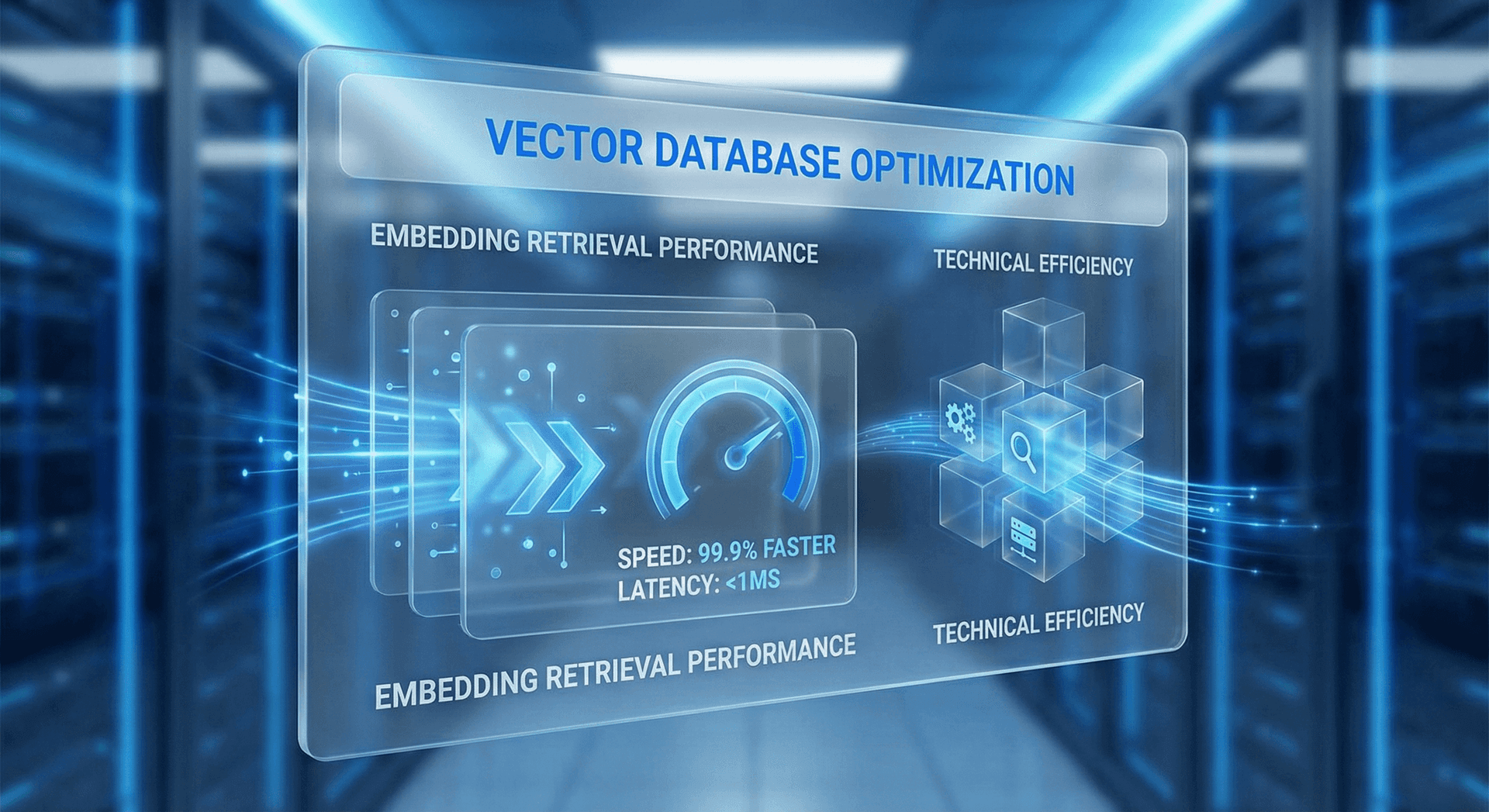
The embedding infrastructure costs are so low relative to the token savings that they round to zero in most business analyses. You're spending $5/month on embedding infrastructure to save $710–$17,750/month on tokens. That's an ROI that makes the calculation trivially simple. Check our pricing page to see how these savings are reflected in our AI Employee plans.
Real Cost Comparison
Let's project these per-query costs across different monthly volumes. These are the numbers that matter for your monthly budget.
| Monthly Volume | Brute Force | Embeddings | Monthly Savings |
|---|---|---|---|
| 500 queries/mo | $380 | $25 | $355 |
| 1,000 queries/mo | $760 | $50 | $710 |
| 2,500 queries/mo | $1,900 | $125 | $1,775 |
| 5,000 queries/mo | $3,800 | $250 | $3,550 |
| 10,000 queries/mo | $7,600 | $500 | $7,100 |
| 25,000 queries/mo | $19,000 | $1,250 | $17,750 |
A few things jump out from this table:
- Even at low volumes, the savings are significant. A business with 500 queries per month saves $355/month—that's $4,260/year in pure token cost savings.
- At moderate volumes, the numbers become dramatic. 5,000 queries per month (roughly 170 per day for an active customer-facing AI) saves $3,550/month—$42,600/year.
- At scale, without embeddings, AI becomes economically unsustainable. No small business is going to pay $19,000/month for AI token costs. Embeddings make the same capability affordable at $1,250/month.
Volume Reference Points
These projections don't even account for the infrastructure overhead of brute force. When you send 50,000 tokens per query, your response latency jumps to 3–5 seconds. That means more server time, more timeout handling, and a worse customer experience. Embeddings cut latency to under 1.5 seconds, reducing infrastructure costs even further.
One more factor that rarely makes it into cost analyses: context window limits. Most LLMs have a maximum context window—128K tokens for GPT-4 Turbo, 200K for Claude 3.5. At 50,000 tokens per query, you consume 25–39% of the context window just for your knowledge base, leaving limited room for conversation history, system prompts, and output. Embeddings free up that context window space for what actually matters: the nuanced multi-turn conversation your AI Employee is having with your customer.
For businesses that want to maintain conversation history (so the AI remembers what the customer asked three messages ago), this context window pressure is especially acute. Brute-force context stuffing and conversation history compete for the same limited space. Embeddings eliminate the competition entirely.
Fort Wayne Examples
Theory is useful. Real numbers are better. Here are three Fort Wayne business scenarios we've modeled based on actual client data and local market conditions.

Medical Practice — Patient FAQ Automation
A multi-provider medical practice near Parkview Regional Medical Center deployed an AI Employee to handle patient questions: appointment scheduling, insurance verification, prescription refill procedures, pre-visit instructions, and billing inquiries.
- Knowledge base: 85 pages (HIPAA-compliant patient-facing content)
- Query volume: 500 queries/day (~15,000/month)
- Brute-force monthly cost: $11,400
- Embeddings monthly cost: $750
- Monthly savings: $10,650 (93% reduction)
- Annual savings: $127,800
The practice also saw a 40% reduction in front-desk phone calls, freeing staff for higher-value patient interactions.
Restaurant Group — Menu, Hours & Specials
A three-location restaurant group in the Fort Wayne metro area deployed an AI Employee across their website and social media channels to answer questions about menus, hours, daily specials, catering, private events, and reservation availability.
- Knowledge base: 40 pages (menus, specials, event packages, policies)
- Query volume: 150 queries/day (~4,500/month)
- Brute-force monthly cost: $3,420
- Embeddings monthly cost: $225
- Monthly savings: $3,195 (93% reduction)
- Annual savings: $38,340
Weekend query spikes (Friday–Sunday) account for 60% of volume. Embeddings handle spikes without cost explosions.
Real Estate Team — Listing Data & Buyer Questions
A 12-agent real estate team serving Allen County deployed an AI Employee to handle buyer inquiries about listings, neighborhood information, school districts, property tax estimates, and scheduling showings.
- Knowledge base: 120 pages (50 active listings + neighborhood guides + process docs)
- Query volume: 350 queries/day (~10,500/month)
- Brute-force monthly cost: $7,980
- Embeddings monthly cost: $525
- Monthly savings: $7,455 (93% reduction)
- Annual savings: $89,460
Listing data changes frequently. Embeddings re-index in under 30 seconds when listings update.
HVAC & Home Services — Scheduling & Troubleshooting
A Fort Wayne HVAC company with 8 service technicians deployed an AI Employee to handle inbound customer questions: troubleshooting common issues, explaining service plans, providing pricing estimates for repairs and installations, and scheduling service appointments.
- Knowledge base: 65 pages (service catalogs, troubleshooting guides, warranty info, pricing tiers, maintenance plans)
- Query volume: 200 queries/day (~6,000/month)
- Brute-force monthly cost: $4,560
- Embeddings monthly cost: $300
- Monthly savings: $4,260 (93% reduction)
- Annual savings: $51,120
Query volume spikes 4x during the first cold snap each winter and during peak summer heat. Embeddings absorb these spikes without budget surprises.
These aren't hypothetical projections from a whitepaper. These are modeled from actual query patterns, knowledge base sizes, and LLM pricing tiers we use with our AI Employee deployments in the Fort Wayne market. The savings hold up because the underlying math is straightforward: send fewer tokens, pay less money.
A note on seasonality: Fort Wayne businesses experience predictable query spikes. Tax season drives accounting firm queries up 300%. Holiday shopping doubles retail inquiries. Summer moves spike real estate questions. With brute-force pricing, these seasonal spikes can create budget-busting months. With embeddings, a 3x spike in queries means your cost goes from $525 to $1,575—not from $7,980 to $23,940. Predictable, manageable costs regardless of seasonal demand.
Budget Planning Made Simple
Implementation Approaches
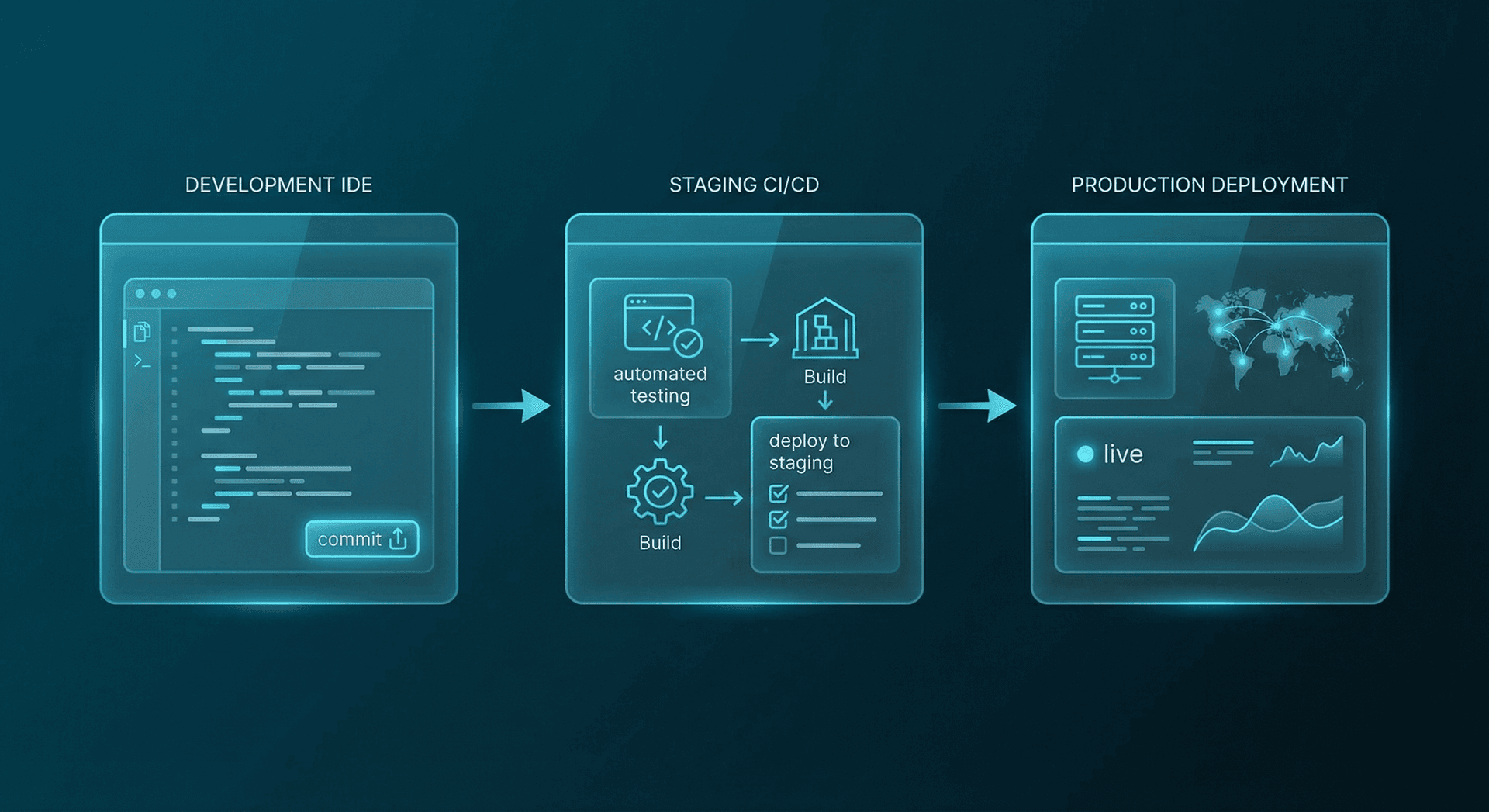
Not all embedding implementations are created equal. Here are the three tiers, with honest assessments of what each requires and where each makes sense.
Tier 1: Basic Keyword Matching
The simplest approach. Use keyword matching (TF-IDF or BM25) to find relevant documents before sending them to the AI. No embedding models required.
- Pros: Simple to implement, no ML infrastructure needed, fast, free
- Cons: Misses semantic similarity ("business hours" won't match "when do you close"), brittle with varied phrasing, lower retrieval accuracy
- Best for: Prototyping, very small knowledge bases (<20 pages), highly standardized queries
- Cost savings vs brute force: 50–70%
Tier 2: Pre-Built Embedding APIs
Use embedding APIs from OpenAI, Cohere, or Voyage AI to generate vectors. Store them in a managed vector database like Pinecone or Weaviate. This is the sweet spot for most businesses.
- Pros: Excellent semantic understanding, handles varied phrasing, 80–90% retrieval accuracy, moderate setup complexity
- Cons: Ongoing embedding API costs (~$0.0001 per query), requires vector database hosting ($20–100/month), some technical setup
- Best for: Most production deployments, 20–500 page knowledge bases, customer-facing AI Employees
- Cost savings vs brute force: 80–93%
Tier 3: Custom Fine-Tuned Embeddings
Train custom embedding models on your specific domain data. The embedding model learns your business vocabulary, jargon, and context patterns for maximum retrieval precision.
- Pros: 95%+ retrieval accuracy, handles domain-specific terminology, competitive moat, best response quality
- Cons: Significant upfront investment ($5K–$20K), requires ML expertise, ongoing fine-tuning as data evolves
- Best for: Enterprise deployments, highly specialized domains (legal, medical, technical), 500+ page knowledge bases
- Cost savings vs brute force: 90–97%
| Factor | Tier 1: Keywords | Tier 2: Pre-Built APIs | Tier 3: Custom |
|---|---|---|---|
| Setup time | 1–2 days | 1–2 weeks | 4–8 weeks |
| Setup cost | $0 | $500–$2,000 | $5,000–$20,000 |
| Monthly infra cost | $0 | $20–$100 | $100–$500 |
| Retrieval accuracy | 60–70% | 80–90% | 95%+ |
| Cost savings vs brute | 50–70% | 80–93% | 90–97% |
| Handles varied phrasing | Poorly | Well | Excellent |
| Domain specialization | None | General | Custom |
For most Fort Wayne businesses, Tier 2 is the right answer. It captures 80–93% of the cost savings without the upfront investment of custom model training. That's the tier Cloud Radix defaults to, with the option to upgrade to Tier 3 for clients with specialized needs.
One common mistake: starting with Tier 1 as a "quick win" and planning to upgrade later. The problem is that Tier 1 keyword matching trains your team to expect a certain (lower) level of retrieval quality. When customers ask questions using natural language instead of exact keywords from your docs, the system fails silently—it retrieves the wrong content and generates a confident-sounding but incorrect answer. Starting at Tier 2 avoids this entire class of failures.
Another consideration: maintenance burden. Tier 1 systems need constant tuning—adding synonyms, adjusting keyword weights, handling new terminology as your business evolves. Tier 2 embedding systems handle linguistic variation automatically because the embedding model already understands that "appointment," "booking," "scheduling," and "reserving a time" all mean the same thing. Less maintenance means lower ongoing cost and fewer opportunities for your AI to give wrong answers due to outdated keyword configurations.
We've seen businesses spend 10+ hours per month maintaining keyword-based retrieval systems. At a typical Fort Wayne operations manager's hourly cost, that's $500–$800/month in hidden labor costs on top of the already-inflated token costs. Tier 2 embeddings eliminate virtually all of that maintenance overhead.
If you're evaluating whether a single AI agent or a multi-agent system is right for your use case, the embedding architecture stays the same—each agent retrieves from the shared vector store, keeping costs predictable regardless of how many agents you deploy.
When Embeddings Don't Help
We believe in giving you the full picture. Embeddings aren't a silver bullet, and there are specific scenarios where they add complexity without proportional benefit.
Honesty Check
- Very small knowledge bases (<10 pages): If your entire knowledge base fits within the AI's context window with room to spare, brute force is simpler and the cost difference is negligible. At 5,000 tokens total, brute force costs ~$0.08 per query. Not worth optimizing.
- Highly dynamic data that changes hourly: Embeddings need to be re-indexed when data changes. If your content changes every hour (live inventory counts, real-time pricing, stock levels), the re-indexing overhead can negate the savings. In these cases, direct API calls to your data source are more appropriate.
- Tasks requiring full document understanding: Some tasks genuinely require the AI to consider your entire knowledge base holistically—like writing a comprehensive summary of all your services, or identifying contradictions across documents. Embeddings retrieve pieces, not wholes. For these tasks, you need the full context.
- Extremely low query volume (<50/month): If you're handling fewer than 50 queries per month, the brute-force cost is under $40. The engineering effort to set up embeddings isn't justified by a $35/month savings.
- Highly cross-referenced content: If answering any single question requires pulling from 20+ different sections of your knowledge base simultaneously, the retrieval step may not surface all the needed pieces. This is rare but worth flagging.
There are also nuanced gray-area scenarios worth understanding. Businesses with mixed content types—some static pages that rarely change alongside real-time data feeds—need a split architecture. The static content (policies, FAQs, service descriptions) benefits enormously from embeddings, while real-time data (live inventory counts, today's wait times, current appointment availability) should bypass the vector store entirely and query live APIs or databases directly. Trying to force real-time data through an embedding pipeline creates stale-data bugs that erode customer trust faster than brute-force costs ever would.
Another gray area: multi-step reasoning tasks. If a customer asks "Which of your services would be best for a 2,000 sq ft office that needs weekly cleaning and monthly deep cleaning?", the AI may need to cross-reference your service tiers, square footage pricing, frequency discounts, and add-on packages simultaneously. A single embedding retrieval pass might surface the pricing page but miss the frequency discount policy. Advanced RAG techniques like multi-hop retrieval—where the system performs two or three sequential retrieval passes, each informed by the previous results—handle these cases effectively. Cloud Radix implements multi-hop retrieval for clients with complex, cross-referenced knowledge bases.
Quick Litmus Test
For the vast majority of customer-facing AI use cases—answering questions, scheduling, providing product information, handling routine inquiries—embeddings are the clear winner. The edge cases above affect maybe 5% of deployments.
The Hybrid Solution
The key insight: embeddings don't have to be perfect for every query to deliver massive value. Even if 10% of queries would theoretically benefit from full context, you're still saving 80%+ on the other 90% of queries. The math works overwhelmingly in your favor.
A practical test: Before investing in embedding infrastructure, try this experiment with your existing AI setup. Take your 20 most common customer questions. For each one, manually select only the 2–3 most relevant pages from your knowledge base and test the AI's response quality using just those pages as context. Compare against the full knowledge base responses. If the targeted-context responses are equal or better (they almost always are), you have your proof of concept for embeddings.
Cloud Radix Architecture
Here's specifically how Cloud Radix AI Employees use embeddings under the hood. We've built this into our platform so our clients don't have to think about vector databases or embedding APIs—it just works.
Automatic Indexing During Onboarding
When we onboard a new client, we ingest their entire knowledge base—website content, FAQs, policy documents, product catalogs, internal procedures—and automatically generate embeddings. The indexing process takes 2–15 minutes depending on content volume. No technical work required from the client.
Real-Time Updates
When business data changes—new menu items, updated hours, revised policies, new listings—our system detects the change and re-indexes the affected content in under 30 seconds. No manual re-indexing, no stale data, no waiting.
Hybrid Retrieval
We don't rely on embeddings alone. Our retrieval pipeline combines semantic embedding search with keyword matching (BM25) in a hybrid approach. This catches cases where exact terminology matters (product names, policy numbers, addresses) alongside cases where meaning matters more than exact words.
Relevance Scoring & Threshold Filtering
Every retrieved chunk gets a relevance score from 0 to 1. We only include chunks above a configurable threshold (default: 0.72). If no chunk scores above the threshold, the AI Employee acknowledges uncertainty rather than generating a potentially inaccurate response. This prevents hallucination and maintains trust.
Built In, Not Bolted On
This architecture is why our clients' AI Employees can handle knowledge bases of 500+ pages without their costs spiraling out of control. It's also why response quality actually improves as knowledge bases grow—more indexed content means more precise retrieval for a wider range of questions.
One detail worth highlighting: our chunking strategy. We don't just split documents into arbitrary 500-token blocks. Our indexing pipeline uses semantic chunking—splitting at natural paragraph and section boundaries to keep related information together. A paragraph about your cancellation policy stays as one chunk, not split across two chunks that lose context. This attention to chunking quality is what separates a good RAG implementation from a mediocre one, and it's one of the reasons our retrieval accuracy consistently exceeds 90%.
We also maintain metadata alongside each chunk: the source document title, the section heading, the last-modified date, and a content-type tag (FAQ, policy, product, procedure). This metadata enables filtered retrieval—when a customer asks about pricing, we can prioritize chunks tagged as "pricing" content even before vector similarity scoring kicks in. The result is faster, more accurate retrieval with fewer edge cases.
ROI of Smart Memory
The cost savings are the most obvious benefit of memory embeddings, but they're not the only return on investment. Smart memory architecture delivers improvements across three dimensions that compound over time.
1. Speed: Faster Responses Mean Happier Customers
Brute-force queries take 3–5 seconds because the AI model has to process 50,000+ tokens of input. With embeddings, input drops to 2,500–3,000 tokens, cutting response time to 0.5–1.5 seconds. For customer-facing AI, this is the difference between a conversation that feels instant and one that feels laggy. Research from Google shows that 53% of users abandon interactions that take longer than 3 seconds.
2. Accuracy: Relevant Context Beats All Context
This is the most counter-intuitive benefit. By giving the AI less context (but the right context), you get more accurate answers. When an AI model receives 50,000 tokens of context, it can get confused by irrelevant information, mix up similar-sounding policies, or dilute its answer trying to address multiple loosely related topics. With 2,500 tokens of precisely relevant context, the answer is focused, specific, and correct.
3. Scalability: Grow Without Cost Explosions
This is the strategic advantage. With brute force, adding more content to your knowledge base directly increases every query's cost. With embeddings, you can grow your knowledge base from 100 pages to 1,000 pages and your per-query cost barely changes. This means you can build comprehensive, detailed knowledge bases that cover edge cases, seasonal content, and niche questions without worrying about the cost implications.
Consider what this means practically. A restaurant can add seasonal menus, wine pairing guides, allergen details, and event packages without increasing per-query cost. A medical practice can add detailed procedure explanations, insurance FAQs, and post-visit care instructions. A real estate team can add neighborhood deep-dives, school district breakdowns, and market trend analyses. More content means your AI Employee can answer a wider range of questions with more depth—and the cost stays flat.
4. Reliability: Consistent Quality at Any Scale
With brute force, quality actually degrades as your knowledge base grows. More content means more noise for the AI to wade through, more opportunities for confusion between similar topics, and longer response times that frustrate customers. With embeddings, quality stays consistent (or improves) as you add content because the retrieval step always narrows down to the most relevant chunks regardless of total knowledge base size.
There's a fourth dimension that often gets overlooked: customer experience compounding. When your AI Employee responds in 0.5 seconds with a precise, accurate answer, customers trust it more. They come back more often. They ask more questions. They engage deeper with your business. Over time, this creates a flywheel: better AI responses lead to more customer interactions, which generate more data, which improves retrieval quality further. This is the same persistent memory advantage we explore in The AI Employee That Never Forgets.
Contrast this with brute-force implementations where 3–5 second response times and diluted answers train customers to distrust the AI. They stop using it. They call the front desk instead. The AI becomes an expensive widget that nobody touches—a cost center instead of a growth engine. We've seen this pattern repeatedly with businesses that deployed AI without embedding optimization—initial excitement, followed by declining usage, followed by the conclusion that "AI doesn't work for our business." The AI was fine. The architecture was wrong.
The Compounding Effect
For a deeper look at how these performance improvements translate to business outcomes, see our AI Employee ROI Guide which breaks down the full financial picture beyond just token costs.
Getting Started
Ready to stop overpaying for AI tokens? Here's a three-step process to evaluate your current situation and calculate your potential savings.
Step 1: Audit Your Current AI Token Spending
If you're already using AI tools (ChatGPT, an AI chatbot, an AI assistant), pull your last 30 days of usage data. Look for total tokens consumed, average tokens per query, and monthly cost. Most platforms provide this in their billing dashboard. If you're using a flat-rate AI service, ask your provider for token consumption data—you may be surprised at how much you're actually using.
Step 2: Measure Your Knowledge Base Size
Count the total pages of content your AI needs access to: website pages, FAQ documents, product catalogs, policy documents, procedure manuals. A rough estimate works. Multiply total pages by 500 to get an approximate token count. If your total exceeds 10,000 tokens (about 20 pages), you'll benefit from embeddings.
Step 3: Calculate Your Potential Savings
Use this formula: (Current monthly token cost) x 0.80 = Your estimated monthly savings. That 80% figure is conservative—most deployments see 85–93% savings. Multiply by 12 for annual savings. If the annual number is over $2,000, embedding optimization will pay for itself within the first month of deployment.
Free Assessment
What to expect from the assessment: We'll review your current AI tools and token consumption, analyze your knowledge base structure and size, model your expected query volume based on your customer base, and deliver a detailed report showing projected monthly and annual savings with embeddings. We'll also identify any edge cases where your content might need special handling (highly dynamic data, cross-referenced content, or regulatory requirements).
Most businesses we assess discover they're overspending on AI tokens by 5–20x. The assessment is free because we know the numbers speak for themselves. When a business sees they can save $40,000/year by switching to embedding-based retrieval, the decision to move forward is straightforward.
If you're not currently using AI but are considering it, this is the ideal time to start with embeddings from day one. Building on a brute-force foundation and migrating later is significantly more expensive than starting with the right architecture. It's the difference between renovating a house with bad plumbing and building with good plumbing from the start. The upfront cost of doing it right is a fraction of the cost of doing it wrong and fixing it later.
Quick-reference savings formula: Take your monthly query volume, multiply by $0.70 (the approximate per-query savings), and that's your monthly embedding advantage. At 100 queries/day (3,000/month), that's $2,100/month in savings. At 300 queries/day (9,000/month), that's $6,300/month. These numbers make the case for embeddings self-evident for any business processing more than a few dozen AI queries per day.
Frequently Asked Questions
Q1.Do I need technical expertise to implement embeddings?
Not if you work with a managed AI provider like Cloud Radix. We handle the embedding generation, vector database management, and retrieval pipeline. You provide the knowledge base content; we handle the infrastructure. If you're building in-house, you'll need a developer comfortable with APIs and basic ML concepts.
Q2.How long does it take to set up embedding-based retrieval?
With Cloud Radix, initial indexing happens during onboarding and takes 2-15 minutes depending on content volume. The full AI Employee deployment, including embedding setup, testing, and launch, typically takes 1-2 weeks. DIY implementations using pre-built APIs (Tier 2) typically take 2-4 weeks for a developer.
Q3.Will embeddings work with my existing AI tools?
Embeddings are model-agnostic. They work with GPT-4, Claude, Gemini, Llama, and any other LLM. If you're currently using a chatbot or AI assistant, embedding-based retrieval can be added as a layer between the user query and the AI model. You don't need to switch AI providers to benefit.
Q4.How often do embeddings need to be updated?
Embeddings should be re-indexed whenever your knowledge base content changes. Cloud Radix handles this automatically — changes are detected and re-indexed in under 30 seconds. For DIY implementations, you can set up webhook-triggered re-indexing or run batch updates on a schedule (daily for most businesses, hourly for high-change environments).
Q5.Are there hidden costs beyond token savings?
The main additional cost is vector database hosting, which runs $20-100/month for most small businesses. Embedding API calls cost approximately $0.0001 per query — negligible. Even accounting for these costs, net savings are typically 75-90%. Cloud Radix includes vector database hosting in our AI Employee plans at no additional cost. Other potential costs to consider: initial knowledge base preparation (cleaning and structuring your content for optimal chunking), occasional re-tuning of relevance thresholds as your content evolves, and developer time if you're building a DIY solution. With a managed provider like Cloud Radix, these are all handled for you, so the only cost you see is your monthly plan.
Q6.Can embeddings handle multiple languages?
Yes. Modern embedding models (like OpenAI's text-embedding-3-large) support 100+ languages and can even match queries in one language to documents in another. A customer asking a question in Spanish can retrieve relevant content from an English knowledge base. This is particularly valuable for Fort Wayne businesses serving diverse communities.
Q7.What happens if my knowledge base content has errors or outdated information?
Embeddings retrieve what you give them — they don't fact-check your content. If your knowledge base contains outdated pricing, incorrect hours, or inaccurate policy details, the AI will confidently serve those wrong answers. This is why content hygiene matters. Cloud Radix includes a content audit as part of onboarding to flag stale or contradictory information before it goes live. We also set up alerts when content hasn't been reviewed in 90+ days, helping you keep your knowledge base accurate over time.
Sources
The following resources informed the data, pricing, and technical details presented in this article. All pricing figures reflect February 2026 rates from the respective providers. Cost projections use conservative estimates—actual savings may be higher depending on your specific LLM provider, pricing tier, and knowledge base characteristics. We update this article quarterly to reflect the latest pricing from major LLM providers.
- OpenAI — Embeddings Guide & Pricing
- Anthropic — Retrieval-Augmented Generation Best Practices
- Pinecone — What Are Vector Embeddings?
- Google Research — RAG for Knowledge-Intensive NLP Tasks
- Voyage AI — Embedding Model Benchmarks 2026
- Weaviate — Hybrid Search: Combining Dense & Sparse Retrieval
Stop Overpaying for AI Tokens
Memory embeddings cut costs by 80%+ while delivering faster, more accurate responses.
Get a free AI cost assessment and see exactly how much your Fort Wayne business could save. No commitment, no pressure—just real numbers for your specific situation.