The Compliance Challenge Every Healthcare Practice Faces
It's 9:15 PM on a Tuesday. A patient who just left your urgent care facility realizes she has no idea whether her insurance covered the visit or when her lab results will be ready. She calls your main line. It rings five times and drops to a generic voicemail message. She calls back. Same result. She opens her browser and Googles your competitor across town.
This scenario plays out thousands of times a day across American healthcare practices. Patients expect 24/7 access — not because they're impatient, but because their health concerns don't observe business hours. Front desk staff work 8-to-5. Answering services read from scripts and can't access your scheduling system. And the obvious solution — AI — comes with a landmine that most technology vendors conveniently ignore: the Health Insurance Portability and Accountability Act.
HIPAA isn't a suggestion. It isn't a best practice. It's a federal law with civil penalties up to $1.9 million per violation category per year and criminal penalties that include prison time. The Office for Civil Rights (OCR), which enforces HIPAA, has collected over $140 million in settlements since 2008 — and enforcement has accelerated, not slowed, as AI tools have proliferated in healthcare settings.
Here's the problem most practices stumble into: they hear "AI automation" and reach for the cheapest, most familiar tool available. They plug ChatGPT into their phone system. They install a generic chatbot on their website. They use an off-the-shelf scheduling app that stores patient data in unencrypted cloud servers with no Business Associate Agreement. Then the OCR audit arrives.
This guide is for healthcare practice administrators, office managers, and physicians who want to solve the after-hours problem correctly — with AI Employees that actually meet HIPAA requirements, handle real patient workflows, and deliver measurable ROI without putting the practice at legal risk.
What Makes an AI System Actually HIPAA-Compliant?
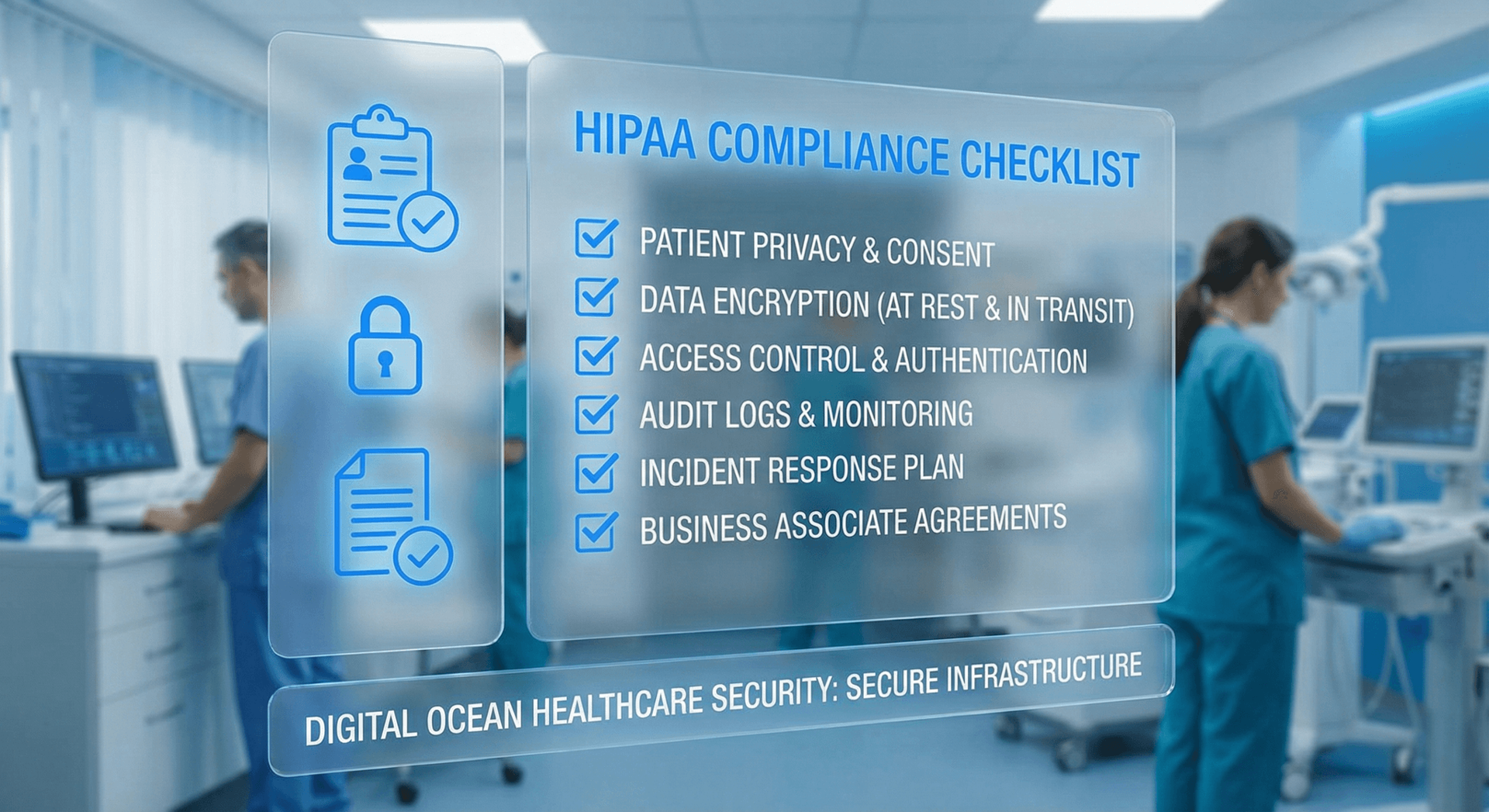
HIPAA compliance isn't a badge a software vendor slaps on their marketing page. It's a specific, verifiable set of technical, administrative, and physical safeguards that govern how Protected Health Information (PHI) is stored, transmitted, and accessed. When evaluating any AI system for healthcare use, you need to verify each of these safeguards — not just take a vendor's word for it.
The three pillars of HIPAA technical safeguards
Access controls are the first pillar. Every user, system, and process that touches PHI must be uniquely identified and granted only the minimum necessary access to perform their function. An AI Employee answering scheduling calls should not have access to your EHR clinical notes. A triage bot should not have access to billing records. Role-based access controls, unique user IDs, and automatic logoff mechanisms are all required.
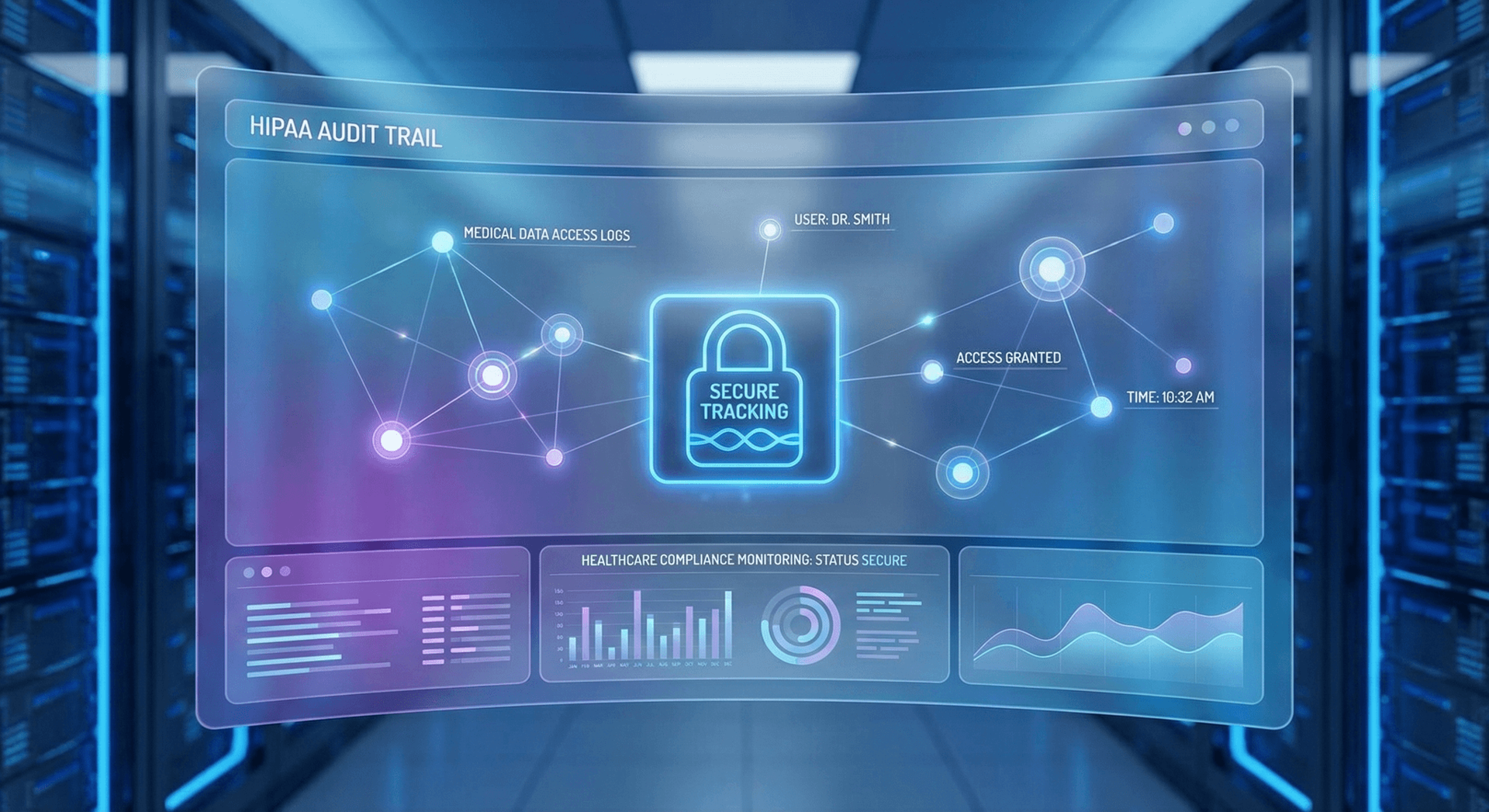
Audit controls are the second pillar. HIPAA requires covered entities and their business associates to implement hardware, software, and procedural mechanisms to record and examine access and activity in systems that contain PHI. In practice, this means every time the AI accesses or transmits patient information, a tamper-evident log is created — who accessed what, when, from where, and what action was taken. These logs must be retained for six years.
Transmission security is the third pillar. Any PHI transmitted electronically — over phone lines, SMS, email, API calls, or any other channel — must be encrypted using AES-256 or equivalent standards. This is where most generic AI tools fail immediately. They route data through shared cloud infrastructure, send SMS messages in plaintext, and store conversation logs in databases that are not encrypted at rest.
What "minimum necessary" means in AI context
The HIPAA minimum necessary standard requires that when PHI is used or disclosed, only the minimum amount needed to accomplish the purpose is accessed. For an AI Employee handling appointment scheduling, this means the system should know the patient's name and appointment date — not their full medical history, prescription records, or insurance claim history. Proper HIPAA-compliant AI architecture enforces these data minimization rules at the system level, not just through policy.
Administrative safeguards: the overlooked side
Beyond technical controls, HIPAA requires documented policies and procedures governing how PHI is handled. For AI systems, this includes a formal risk analysis before deployment, staff training on how to work alongside the AI while maintaining compliance, incident response procedures for potential breaches, and regular review of the AI system's security controls. A vendor who delivers software without also helping you document these administrative safeguards is not actually delivering HIPAA compliance — they're delivering technology and leaving you exposed.
The Generic AI Compliance Trap
The Real Risks of Using Non-Compliant AI in Healthcare Settings
The risk isn't theoretical, and it isn't rare. OCR investigated over 800 HIPAA complaints involving electronic health systems in 2025 alone. As AI adoption in healthcare accelerates, so does OCR's focus on AI-related compliance failures. Here's what the actual risk landscape looks like in 2026.
Financial penalties are just the beginning
HIPAA civil penalties are tiered based on culpability. At the lowest tier — violations where the covered entity didn't know and couldn't reasonably have known — penalties run $100 to $50,000 per violation, with an annual cap of $25,000. At the highest tier — willful neglect that isn't corrected — penalties run $10,000 to $50,000 per violation with an annual cap of $1.9 million. Using a non-compliant AI tool after being put on notice (like, say, after reading this article) moves your exposure into the willful neglect category.
Beyond OCR penalties, state attorneys general can pursue parallel enforcement actions under their own data protection laws. Indiana's consumer protection statutes give the AG authority to seek damages on behalf of affected patients. If you're a healthcare practice in Fort Wayne and a data breach exposes patient PHI, you could be facing both federal and state enforcement simultaneously.
Reputational damage in a trust-driven industry
Healthcare is uniquely trust-dependent. A patient who learns their medical appointment history, insurance information, or prescription records were exposed to an unencrypted AI system will not return to your practice. They'll leave reviews. They'll tell their family. In a local market like Fort Wayne — where word of mouth still drives most new patient acquisition — a single high-profile breach can devastate a practice's reputation in ways that $1.9 million in fines can't fully capture.
Breach notification: the hidden operational cost
If a breach affects 500 or more patients in a state, you must notify HHS immediately and issue a press release to local media. Even smaller breaches require individual patient notification. Each notification letter must be sent by first-class mail, must explain what information was exposed, what the practice is doing to remedy the situation, and what free services (like credit monitoring) you're offering. For a breach involving 1,000 patients, the notification process alone can cost $50,000 in administrative time, legal fees, and remediation services — before a single federal penalty is assessed.
The Right Approach Eliminates All of This Risk
What a HIPAA-Compliant AI Employee Actually Handles
When healthcare practices imagine "AI automation," they often think of something narrow — a chatbot that answers "what are your hours?" or a phone tree that says "press 1 for appointments." A properly built HIPAA-compliant AI Employee is nothing like that. It's a fully capable member of your administrative team that operates across every patient touchpoint, around the clock.
Appointment scheduling and management
This is the highest-volume administrative function in most practices, and it's where AI Employees deliver the most immediate value. Your AI Employee connects directly to your practice management system — whether that's Athenahealth, Epic, Kareo, eClinicalWorks, or any other major platform — and handles the full scheduling lifecycle without human intervention.
When a patient calls to book a new appointment, the AI verifies their identity using a configurable set of identifiers (date of birth, last four digits of Social Security number, or a patient portal PIN), checks provider availability in real time, captures the reason for the visit, asks screening questions if required by your clinical protocol, and books the appointment — all in a single call. Confirmation texts and emails go out automatically. Reminder calls happen 48 hours and 24 hours before the appointment. Cancellations and reschedules are handled the same way.
After-hours triage and symptom assessment
After-hours triage is one of the most high-stakes workflows in primary care and urgent care settings. Done poorly, it either burdens on-call providers with unnecessary calls or fails to escalate patients who genuinely need immediate care. A properly configured HIPAA-compliant AI Employee follows your documented triage protocols exactly — asking standardized symptom questions, applying your severity scoring criteria, and routing appropriately: self-care instructions for minor symptoms, next-day appointments for moderate concerns, and immediate transfer to the on-call provider or 911 for urgent situations.
Because the AI follows the same protocol every single time — no matter how tired it is, no matter how many calls it has taken that shift — the consistency of triage decisions actually improves compared to human-staffed after-hours lines. Every triage call is documented in your EHR automatically, with a structured note that meets your clinical documentation standards.
Prescription refill requests
Refill requests are a daily administrative burden in most practices. Patients call, leave voicemails, send portal messages, and call the pharmacy directly — creating a chaotic multi-channel workflow that ties up staff and delays care. Your AI Employee standardizes this process: verify the patient's identity, confirm the medication and dosage requested, check for last fill date, flag controlled substances for provider review, and route appropriately. Routine refills for established medications go to your electronic prescribing queue. Controlled substance requests generate a notification for direct provider review. Patients who are due for a visit before a refill can be authorized are scheduled on the spot.
Insurance eligibility verification
Verifying insurance eligibility before appointments is the single most effective way to reduce claim denials and billing headaches. Your AI Employee can check eligibility automatically for every scheduled appointment using your clearinghouse integration, identify coverage gaps or changes, and contact patients proactively to update their insurance information before they arrive. Practices that implement automated eligibility verification typically see a 15–25% reduction in claim denials within the first quarter.
Patient intake and pre-visit documentation
New patient intake is time-consuming for both staff and patients. Your AI Employee can conduct pre-visit intake conversations by phone or text — collecting demographic information, insurance details, reason for visit, relevant medical history, current medications, and allergies — and populating your EHR directly. Patients spend less time on paperwork in the waiting room. Staff spend less time on data entry. Providers walk into the exam room with a complete, current patient record.
Lab results notification
With proper authorization workflows built in, your AI Employee can notify patients of normal lab results — reducing the load on clinical staff who currently spend hours returning calls about unremarkable results. Abnormal results are flagged for provider review before any patient contact, ensuring that clinical judgment is applied where it matters. Patient authorization for results disclosure is captured, documented, and retained in the audit log.
Patient satisfaction follow-up
Post-visit follow-up calls are often the first thing practices eliminate when staffing gets tight — and one of the highest-impact patient retention activities. Your AI Employee can conduct structured follow-up calls 24–48 hours after appointments: confirming the patient understood their discharge instructions, asking whether they have questions about their medication, checking whether symptoms have improved, and flagging concerning responses for clinical follow-up. These calls take about three minutes per patient and can be the difference between a patient who returns versus one who doesn't.
Specialty-Specific Use Cases: How Different Practices Benefit
While the core capabilities of a HIPAA-compliant AI Employee apply across all healthcare settings, each specialty has unique workflows and compliance considerations that shape how the AI is configured. Here's how different practice types in the Fort Wayne and Northeast Indiana market are deploying AI Employees in 2026. You can also explore our medical practice case studies for real-world deployment results.
Primary care and family medicine
Primary care practices typically have the highest call volume and the widest variety of call types — from sick visit scheduling to chronic disease management check-ins to referral coordination. The AI Employee in a primary care setting is configured to handle the full administrative spectrum while intelligently triaging clinical questions. Routine administrative requests (appointments, refills, referral status) are handled autonomously. Clinical questions are triaged by severity and routed either to patient education resources, to a clinical staff callback queue, or to immediate escalation if red-flag symptoms are present.
A typical family medicine practice with three providers and 5,000 active patients receives 80–120 calls per day. An AI Employee can handle 60–80% of those calls autonomously, reducing front desk workload by roughly 25 hours per week — the equivalent of a 0.6 FTE administrative staff position.
Dental practices
Dental practices have scheduling as their primary driver of revenue, and their scheduling complexity is underappreciated by most generic scheduling tools. Treatment plans span multiple appointments with specific sequencing requirements. Recall programs (six-month cleanings, annual x-rays) need to be managed proactively. New patient acquisition requires longer appointment slots. Insurance verification is procedure-specific, not just eligibility-based.
A dental-configured AI Employee handles the full recall workflow autonomously — identifying patients due for hygiene appointments, calling or texting to schedule, booking the appropriate appointment type and duration, verifying insurance, and sending reminders. Practices that activate AI-driven recall programs typically recover $15,000–$40,000 in annual revenue from patients who would have lapsed without proactive outreach. See how this works for Fort Wayne dental practices and Chicago dental practices.
Mental health and behavioral health practices
Mental health practices have unique compliance and sensitivity requirements that make thoughtful AI configuration especially important. Patient confidentiality is paramount — many patients in behavioral health settings have specific concerns about who knows they are receiving treatment. The minimum necessary standard is applied rigorously: the AI never references the nature of the practice or the reason for care in voicemail messages, caller ID displays, or appointment reminders without explicit patient authorization.
Crisis triage is handled with particular care. Every AI Employee in a behavioral health setting is configured with a zero-delay escalation pathway: if a caller expresses any indication of suicidal ideation, self-harm, or harm to others, the AI immediately transfers to the on-call clinician and simultaneously sends an alert. There is no hesitation, no attempt to handle the call autonomously. For practices participating in the 988 Suicide and Crisis Lifeline network, integration with the national routing system is available.
Appointment scheduling for therapy practices integrates with the specific constraints of therapeutic work — 50-minute sessions, therapist-specific availability, insurance panel limitations, and the nuances of new patient intake that differ significantly from medical intake. The AI coordinates all of this while maintaining the privacy standards that behavioral health patients have a right to expect.
Urgent care centers
Urgent care operates on volume and speed. Wait time management, real-time capacity updates, insurance eligibility, and after-hours routing to emergency services are all mission-critical functions. The AI Employee in an urgent care setting provides real-time wait time information to patients calling before they arrive, reducing walk-ins during peak periods. It handles pre-registration for scheduled sick visits, captures insurance information before the patient arrives, and routes after-hours callers to emergency services or the nearest 24-hour facility with explicit location information.
For multi-location urgent care groups, the AI routes patients to the location with the shortest current wait time — improving both patient experience and load distribution across facilities. Occupational health services, school sports physicals, and DOT physicals can be scheduled through specialty-specific intake workflows that capture the required pre-visit information for each visit type.
The Business Associate Agreement (BAA): The Non-Negotiable Requirement
If there is one single compliance requirement that separates legitimate HIPAA-compliant AI tools from vendor claims, it is the Business Associate Agreement. Understanding the BAA is not optional for any healthcare practice deploying AI automation.
What a BAA actually is
A Business Associate Agreement is a legally binding contract between a HIPAA-covered entity (your practice) and any vendor or contractor (a "business associate") who creates, receives, maintains, or transmits PHI on behalf of the covered entity. Under the HIPAA Omnibus Rule of 2013, business associates are directly liable for HIPAA compliance — meaning the vendor can be fined directly for violations, independent of any action against your practice.
The BAA must include specific provisions: what PHI the business associate will access and for what purpose; the safeguards the business associate will implement; the business associate's obligations in the event of a breach; the conditions under which PHI may be subcontracted to sub-contractors (who must also sign BAAs); and the termination provisions governing what happens to PHI when the relationship ends. A BAA missing any of these elements is legally insufficient.
Why most AI vendors won't sign a BAA
OpenAI, Google, Anthropic, and the vendors behind most consumer-grade AI products do not sign BAAs for their standard consumer and business plans. Some offer enterprise tiers with BAA options — but those enterprise plans cost tens of thousands of dollars per year, are designed for large health systems, and still require significant technical work to configure them appropriately for PHI handling. The $20/month ChatGPT subscription that your front desk staff uses to "help draft appointment reminder texts" does not have a BAA. Full stop.
Cloud Radix AI Employees include a signed BAA as a standard component of every healthcare deployment. We do not offer a healthcare AI product without one. This is not a upsell — it's a baseline requirement of responsible healthcare technology deployment.
BAA scope and subcontractor chains
One complexity of modern AI systems is the subcontractor chain. A cloud AI system may route data through multiple vendors — a cloud compute provider, a speech recognition API, a CRM integration, a texting platform. Each of these is a subcontractor of your business associate, and HIPAA requires BAAs to flow all the way down the chain. When evaluating an AI vendor, ask specifically: who are your subprocessors, and do you have BAAs with all of them? A vendor who cannot answer this question clearly cannot make a credible HIPAA compliance claim.
Ask This Before You Sign Anything
Data Security Architecture: How HIPAA-Compliant AI Actually Works
Understanding the technical architecture of a HIPAA-compliant AI Employee helps practice administrators make better decisions and ask better questions of vendors. For a broader overview of how we protect data across all deployments, see our security architecture page. Here's how Cloud Radix's AI Employee architecture addresses each layer of HIPAA's technical safeguard requirements.
On-premise hardware: keeping PHI in your building
Cloud Radix AI Employees include a physical hardware unit that installs in your practice facility. This isn't marketing — it's a fundamental architectural choice with significant compliance implications. When your AI processes a patient scheduling request, the PHI involved in that transaction is processed on hardware in your building, on your network, under your physical security controls. It does not travel to a shared cloud data center in Virginia before generating a response.
This architecture meaningfully reduces the attack surface for PHI breaches. Your practice already has physical security controls — locked doors, key card access, security cameras. Your AI hardware is protected by those same controls. HIPAA's physical safeguard requirements for workstations and electronic media are easier to meet when the media is on-site than when it's distributed across cloud infrastructure that you do not control.
Encryption at rest and in transit
All PHI stored by the AI Employee system — patient records, call recordings, audit logs, appointment data — is encrypted at rest using AES-256. All PHI transmitted between system components — between the on-premise hardware and your EHR, between the AI and your practice management system, between the system and patient communication channels — is encrypted in transit using TLS 1.3. These are not optional features; they are baseline requirements that meet HIPAA's encryption implementation specification.
Audit logging and tamper-evidence
Every interaction the AI has with PHI generates a structured audit log entry: timestamp, patient identifier, user or system action taken, data elements accessed or modified, and outcome. Audit logs are stored separately from operational data using write-once storage to prevent tampering. Log retention defaults to six years — meeting HIPAA's documentation retention requirements. Logs are available for export in standard formats for use during compliance audits or OCR investigations.
Role-based access control
The AI Employee system implements HIPAA's required unique user identification and role-based access controls. Practice staff members access the AI management dashboard using unique credentials tied to their role: front desk staff see scheduling data; clinical staff see triage call summaries; practice administrators see the full dashboard including audit logs. No user has access to data beyond what their role requires — implementing the minimum necessary standard at the system architecture level.
Business continuity and disaster recovery
HIPAA requires covered entities and their business associates to have contingency plans for when systems fail. The on-premise AI hardware has built-in redundancy — if the primary processing unit fails, a backup unit takes over without interruption. Patient data is backed up to an encrypted, BAA-covered cloud repository at configurable intervals. If the hardware is lost or destroyed — in a fire, flood, or theft — data can be restored from the encrypted backup within four hours. These recovery procedures are documented, tested annually, and provided to practices as part of their HIPAA contingency plan documentation.
Generic AI Tools vs HIPAA-Compliant AI Employee: The Full Comparison
Let's put it all on the table. Here's exactly how generic AI tools compare to Cloud Radix's HIPAA-compliant AI Employee across every dimension that matters for healthcare practices:
| Capability / Requirement | Generic AI Tools (ChatGPT, Chatbots, etc.) | Cloud Radix AI Employee (HIPAA-Compliant) |
|---|---|---|
| Business Associate Agreement | ✗ Not available on standard plans | ✓ Signed BAA included with every deployment |
| PHI encryption at rest | ✗ Shared cloud, no guarantees | ✓ AES-256 on on-premise hardware |
| PHI encryption in transit | Varies — often unverified | ✓ TLS 1.3 on all data paths |
| Audit logging | ✗ Not compliant with HIPAA spec | ✓ Tamper-evident logs, 6-year retention |
| Answers patient phone calls | ✗ Web chat only | ✓ Full inbound/outbound phone capability |
| EHR / PMS integration | ✗ Manual copy-paste risk | ✓ Native integration, data never leaves system |
| Appointment scheduling | ✗ Not real-time | ✓ Real-time calendar integration |
| After-hours triage | ✗ Not clinical protocol-driven | ✓ Follows your documented triage protocols |
| Prescription refill requests | ✗ No system access | ✓ Integrated with prescribing workflow |
| On-premise hardware option | ✗ Cloud-only | ✓ Physical hardware in your facility |
| Minimum necessary data access | ✗ No data minimization controls | ✓ Role-based access enforced at architecture level |
| Subprocessor BAA chain | ✗ Unknown / not documented | ✓ Complete chain documented and available |
| Breach notification SLA | ✗ Consumer TOS, no healthcare SLA | ✓ 60-hour breach notification per HIPAA |
| Staff training documentation | ✗ Not provided | ✓ HIPAA training materials included |
ROI and Cost Savings for Healthcare Practices
HIPAA compliance is a legal requirement, not a business case. But the business case for deploying a HIPAA-compliant AI Employee is compelling independent of the compliance argument. Here's the financial reality for a typical healthcare practice.

The true cost of front desk staffing
A full-time medical receptionist in the Fort Wayne market earns $16–$21 per hour. At 40 hours per week, that's $2,560–$3,360 per month in base wages — before employer payroll taxes (7.65%), health insurance contribution (average $600/month per employee for single coverage), paid time off (10 days minimum = $1,040 annually for the lower wage), and training costs for a position with 35% annual turnover.
A realistic all-in monthly cost for a single medical receptionist in Fort Wayne is $3,200–$4,500. And that one receptionist works 8-to-5, Monday through Friday — 40 hours per week out of the 168 hours that patients might call. After hours, evenings, weekends, and holidays are covered by voicemail or an answering service that can't access your scheduling system.
What an AI Employee costs and what it replaces
Cloud Radix's HIPAA-compliant AI Employee starts at $997/month for the Starter plan. That includes the physical hardware unit (which the practice owns), a dedicated business phone number, full setup and one-week training, all EHR and practice management system integrations, 24/7 operation across phone, SMS, and email, and ongoing support. AI model API usage is billed separately based on actual usage — Cloud Radix optimizes these costs through intelligent model routing. There are no after-hours surcharges and no annual license escalations.
The AI Employee doesn't replace the human judgment of your clinical and administrative team — it handles the volume work that doesn't require human judgment, freeing your staff to do the work that does. A practice that deploys an AI Employee typically sees its front desk staff shift from 70% reactive (answering calls, entering data, managing the phone queue) to 70% proactive (patient relationship management, complex scheduling, prior authorizations, billing follow-up).
The missed revenue calculation
Most practices don't track the revenue impact of unanswered calls, but the numbers are significant. A primary care practice with a $150 average visit value and 40 unanswered after-hours calls per month — at a 60% conversion rate for answered calls — is losing roughly $3,600 per month in direct appointment revenue. That calculation doesn't include the lifetime value of patients who don't return after a negative first contact experience, which research suggests averages $4,200 per lost patient in primary care.
The compliance cost avoidance argument
This is the calculation most practices don't run until after a breach. The average cost of a healthcare data breach in the United States in 2025 was $10.9 million — the highest of any industry, for the 15th consecutive year, according to IBM's Cost of a Data Breach Report. Even small breaches affecting hundreds rather than thousands of patients cost $250,000–$500,000 in notification costs, legal fees, remediation, and regulatory response before fines are assessed. Deploying a HIPAA-compliant AI system at $997/month is, among other things, a risk management strategy with a calculable expected value.
Implementation Guide: Getting Your AI Employee Live in One Week
One of the most common objections we hear from practice administrators is that implementing new technology will be disruptive — that it will require months of IT involvement, staff retraining, and workflow disruption. The Cloud Radix implementation process is designed to eliminate that concern entirely. Here's exactly what the one-week deployment looks like.
Day 1–2: Discovery and compliance documentation
The first two days are dedicated to understanding your practice deeply and establishing the compliance foundation. Our team conducts a structured discovery session with your practice administrator, office manager, and a clinical representative. We review your current call volume data, your EHR and practice management systems, your triage protocols, your scheduling rules, your payer mix, and your most common patient inquiry categories.
Simultaneously, our compliance team prepares your BAA documentation, reviews your existing HIPAA policies, and identifies any gaps that need to be addressed before deployment. We provide you with updated HIPAA policy templates that account for AI system deployment — the administrative documentation that OCR looks for during audits.
Day 3–4: AI configuration and integration
With your practice knowledge in hand, our technical team configures your AI Employee. Your triage protocols are encoded as decision trees with explicit escalation triggers. Your scheduling rules — provider availability, appointment types, duration requirements, recall schedules — are integrated with your practice management system. Your EHR integration is tested and validated. Your custom greeting, voice, and personality are configured to match your practice's culture.
The physical hardware unit is shipped to your facility and installed on your network by our certified technician. Network segmentation is configured to isolate the AI system from other network traffic. Encryption certificates are provisioned and tested. Audit logging is verified end-to-end.
Day 5: Testing and staff training
Day five is a full test day. Our team conducts a series of structured test calls covering every call type your AI Employee will handle — new patient scheduling, existing patient reschedules, prescription refills, triage scenarios including simulated urgent situations, insurance questions, and edge cases specific to your practice. Your team participates in the testing and approves every response scenario before go-live.
Staff training happens on day five as well. Your front desk team learns how to monitor the AI dashboard, how to review flagged calls that required escalation, how to update the AI's knowledge base when your protocols change, and how to generate audit log reports for compliance purposes. Training typically takes two to three hours.
Day 7: Go live
Your AI Employee takes its first live patient calls on day seven. Our team monitors the system in real time for the first 48 hours after go-live, reviewing call recordings, checking escalation accuracy, and making fine-tuning adjustments to response quality. You have a direct line to your Cloud Radix implementation manager throughout the go-live period — not a support ticket queue, but a person who knows your practice.
After the initial go-live period, we schedule weekly review calls for the first month to review performance metrics, address any edge cases that arose, and confirm that the AI is operating within your compliance parameters. Monthly reviews continue thereafter, with quarterly HIPAA compliance audits available as an add-on service.
What Patients Experience
Frequently Asked Questions
Q1.Does using an AI Employee for scheduling actually count as a HIPAA-covered activity?
Yes. Any time an AI system creates, receives, maintains, or transmits Protected Health Information on behalf of your practice, that activity is covered by HIPAA. Appointment scheduling involves PHI — patient names, dates of service, reason for visit, insurance information — so the system handling that scheduling is a business associate and must have a signed BAA in place and must implement all required technical and administrative safeguards. There is no scheduling-only exemption from HIPAA.
Q2.We already use a patient portal for scheduling. Why do we need an AI Employee too?
Patient portals serve patients who are already registered and comfortable with the platform — typically your established, engaged patient base. AI Employees serve every other patient: new patients who are not yet in your portal, established patients who prefer calling over navigating a web interface (a significant portion of patients over 55), patients calling after hours when your portal doesn't provide real-time scheduling access, and patients in urgent situations who need triage guidance, not a web form. The two tools serve different segments of your patient population and are more complementary than competitive.
Q3.What happens if the AI gives a patient incorrect medical advice?
A properly configured HIPAA-compliant AI Employee does not provide medical advice. It follows documented triage protocols that your clinical team has reviewed and approved — essentially, it is a protocol executor, not a clinical decision maker. When a patient describes symptoms, the AI applies your triage criteria to determine routing: self-care resources, next-day appointment, or immediate escalation. It does not diagnose, prescribe, or interpret results. Every AI response in a clinical context references your practice's protocols, and escalation to a human clinician is always available. The documentation of your triage protocols, and the AI's adherence to them, is actually a defensible standard of care position.
Q4.Can the AI Employee integrate with our existing EHR — we use Epic / Athenahealth / eClinicalWorks?
Yes. Cloud Radix AI Employees integrate with all major EHR and practice management systems, including Epic, Athenahealth, eClinicalWorks, Kareo, Drchrono, NextGen, Allscripts, and others through their published APIs and HL7 FHIR interfaces. The integration is configured during implementation and is fully tested before go-live. Patient data written to the EHR by the AI uses your standard data structures and appears in the patient record exactly as it would if entered by a staff member.
Q5.How does the AI handle a patient who is in crisis or mentions suicidal thoughts?
This is configured with zero-tolerance escalation — no hesitation, no attempted autonomous handling. If any keyword, phrase, or sentiment pattern associated with crisis or suicidal ideation is detected, the AI immediately transfers the call to your on-call clinician or to 988 (the Suicide and Crisis Lifeline), and simultaneously sends an alert to your clinical on-call team. The AI does not attempt to de-escalate, gather more information, or route to a voicemail. Behavioral health practices receive specialized crisis routing configuration that meets the clinical standards of their state licensing board.
Q6.What is the contract commitment for a Cloud Radix HIPAA-compliant AI Employee?
Cloud Radix offers month-to-month agreements with no long-term contract required. We do not believe in locking healthcare practices into multi-year agreements for a system they haven't tested in their environment. The hardware unit is yours to keep after the initial deployment — it is not a leased asset. If you choose to discontinue service, we provide a data export of all audit logs and patient interaction records in standard formats, and we document the data deletion process for your HIPAA compliance records.
Q7.Can the AI Employee help with CMS quality reporting or value-based care requirements?
Yes, in several ways. Automated preventive care outreach — identifying patients due for annual wellness visits, colorectal cancer screening, diabetic eye exams, or flu vaccines — directly supports MIPS quality measures and value-based care contracts. The AI can conduct structured outreach calls, schedule the required visits, and document patient response in your EHR, creating a data trail that supports quality reporting. Practices participating in ACOs or PCMH programs have used AI Employee automation to improve their quality measure performance by 10–20 percentage points within the first reporting year.
Sources
- U.S. Department of Health and Human Services — HIPAA for Professionals: Enforcement — hhs.gov
- HHS Office for Civil Rights — Bulletin: Use of Online Tracking Technologies and HIPAA (2023) — hhs.gov
- IBM Security — Cost of a Data Breach Report 2025 — ibm.com
- American Medical Association — AI in Healthcare: Policy and Ethics 2026 — ama-assn.org
- NIST — HIPAA Security Rule Crosswalk to NIST Cybersecurity Framework — nist.gov
- Definitive Healthcare — State of Healthcare: Patient Access & Digital Engagement 2025 — definitivehc.com
- U.S. Bureau of Labor Statistics — Medical Secretaries and Administrative Assistants, Indiana 2025 — bls.gov
Ready to Deploy a HIPAA-Compliant AI Employee?
Cloud Radix is based in Auburn, Indiana — 25 minutes from Fort Wayne. We serve healthcare practices across Northeast Indiana and the Midwest with HIPAA-compliant AI Employees that are live within one week. Explore our Fort Wayne healthcare practice, Indianapolis, or Detroit pages for city-specific details, or schedule a compliance consultation and we'll walk you through exactly how this works for your practice type, your EHR, and your patient population.
Schedule a Compliance ConsultationNo contracts required. BAA provided at no additional cost. Live within one week.